关于win7不能加入samba域的解决方法
- 免费资源
- 2011-10-21
- 60热度
- 0评论
需要修改2个地方
一、在wins处填入samba域控的ip
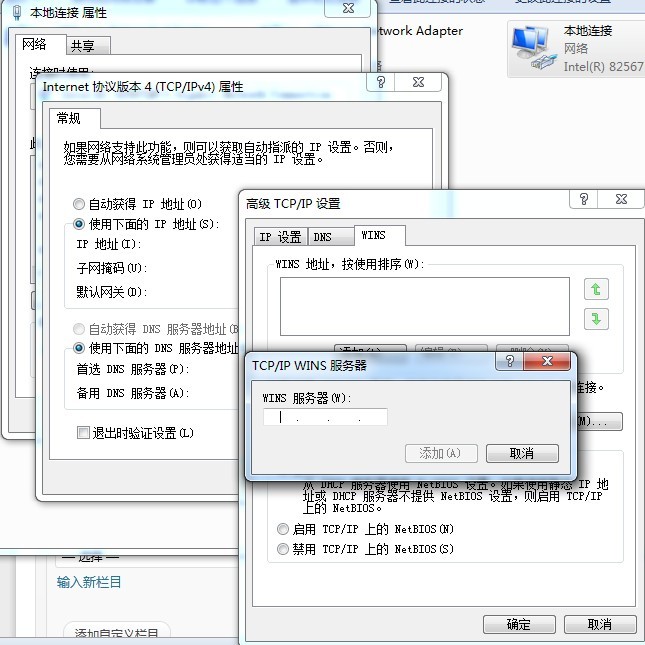
二、修改注册表
找到
HKEY_LOCAL_MACHINESYSTEMCurrentControlSetservicesLanmanWorkstationParameters
新加2个DWORD值
DNSNameResolutionREquired 值为0
DomainCompatibilityMode 值为1
如图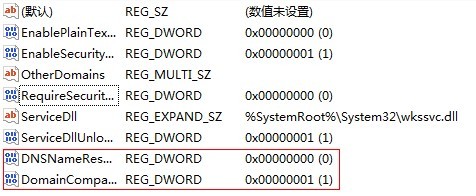
然后注销一下。就可以登录samba域啦。